Devlog 022 / Interface
Rebuilding the Interface with UI Toolkit
The interface of Project Tourge has been rebuilt from the ground up. This was not a small visual pass over a few menus. The login screen, loading flow, settings, open-world HUD and the modules connected to it have all moved to a new UI Toolkit foundation.
The same is true inside the garage and upgrade shop. Upgrades, paint, tuning, inventory and customization now belong to one interface system instead of feeling like separate screens built at different times.
The goal was straightforward: make the interface faster, easier to read, more responsive across different layouts and far easier to maintain as the game grows.
Why move away from Canvas UI
Canvas UI helped Project Tourge reach this point, but it was becoming difficult for me to scale. As more screens, controls and variations were added, keeping everything consistent required more work than it should.
UI Toolkit gives the project a better structure. Layout and styling can be shared across the game, so a change does not need to be rebuilt separately for every screen. It is also much easier to keep spacing, typography, buttons, panels and interaction states consistent.
That matters even more because Project Tourge does not currently have a dedicated UI artist. The interface needs to be something I can design, expand and maintain alone without every new feature creating another collection of one-off elements.
Rebuilt from login to the open world
The rewrite begins before the player reaches the car. Login, loading and settings now use the same visual language as the rest of the game. Once the open world loads, the HUD, phone, map and other modules continue that language instead of switching to a completely different style.
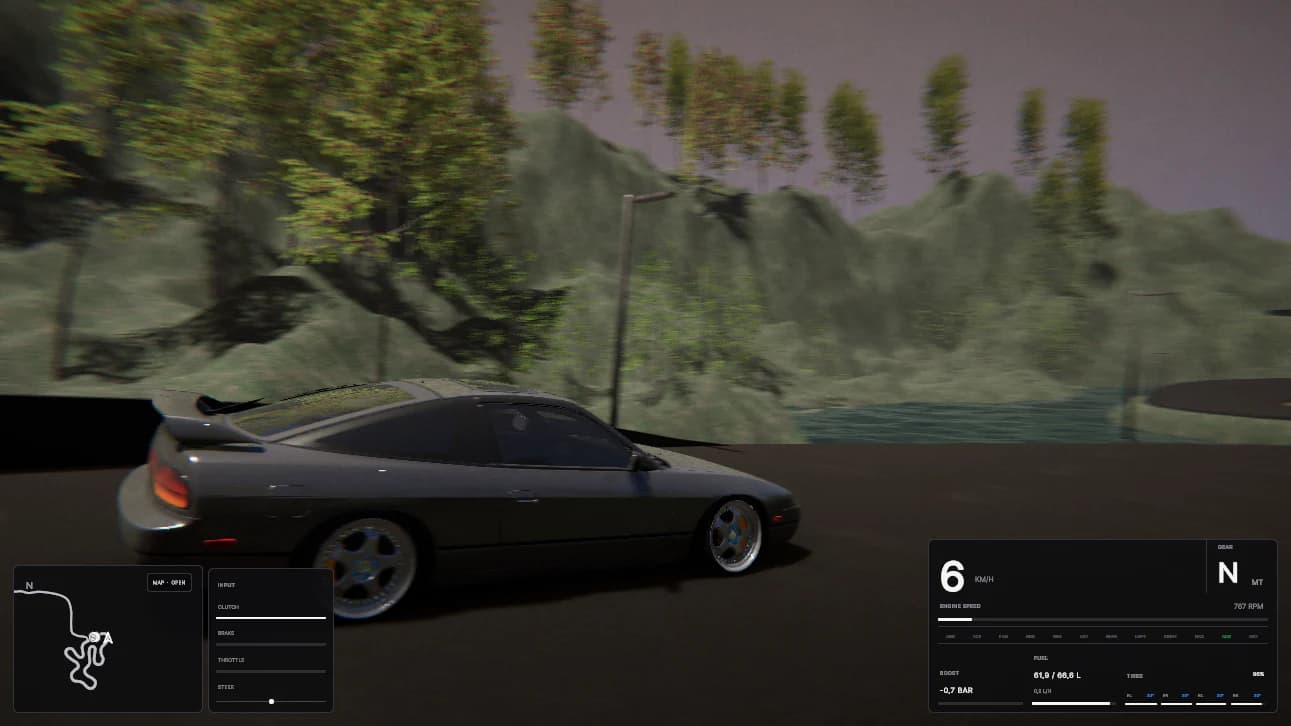
The new HUD keeps the important information near the edges of the screen and leaves the centre open for driving. Vehicle data is grouped instead of scattered, while optional driving information can still be available without taking over the view.
Settings received the same treatment. Categories remain easy to find, individual options have room for a short explanation, and the layout can handle a growing list without becoming a wall of disconnected controls.
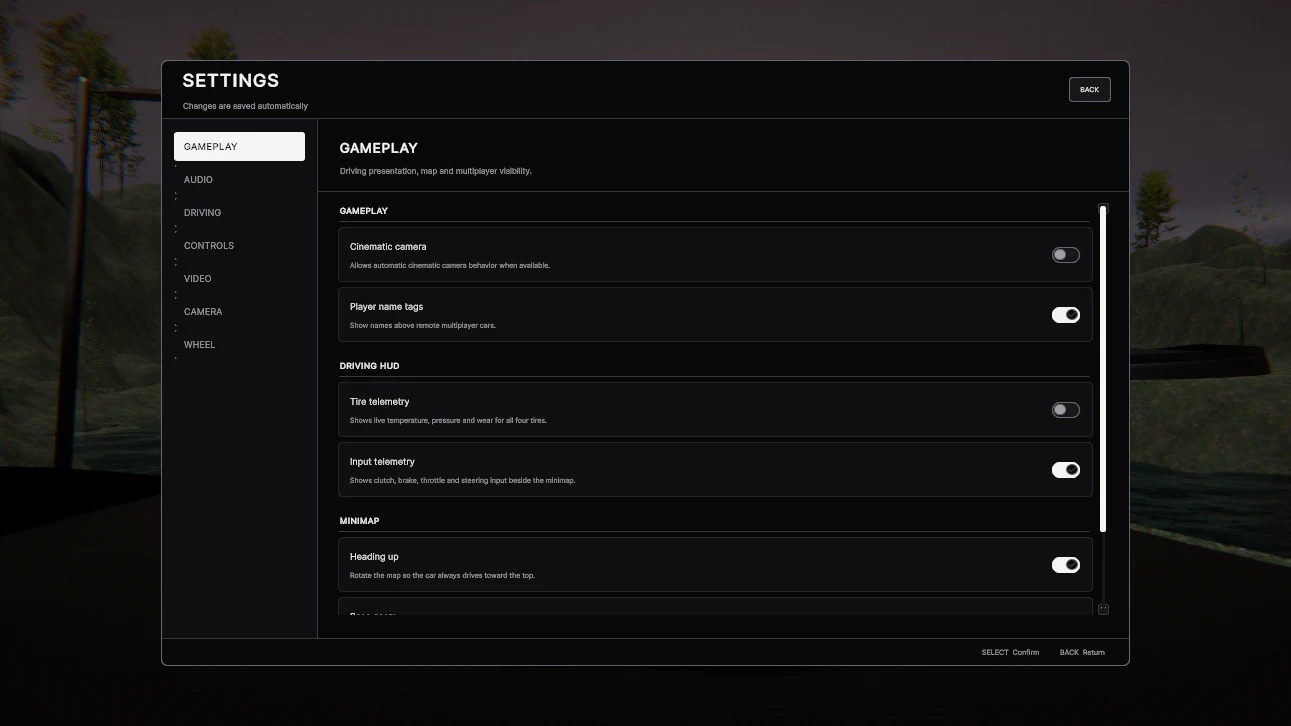
One interface language
The main improvement is consistency. A button should feel like the same button wherever it appears. A panel, heading or selected state should not need a new design each time another system is added.
That shared foundation also makes the interface more responsive. Screens can adapt to different available spaces and layouts more cleanly, which is especially important for larger systems such as settings, the world map and the upgrade shop.
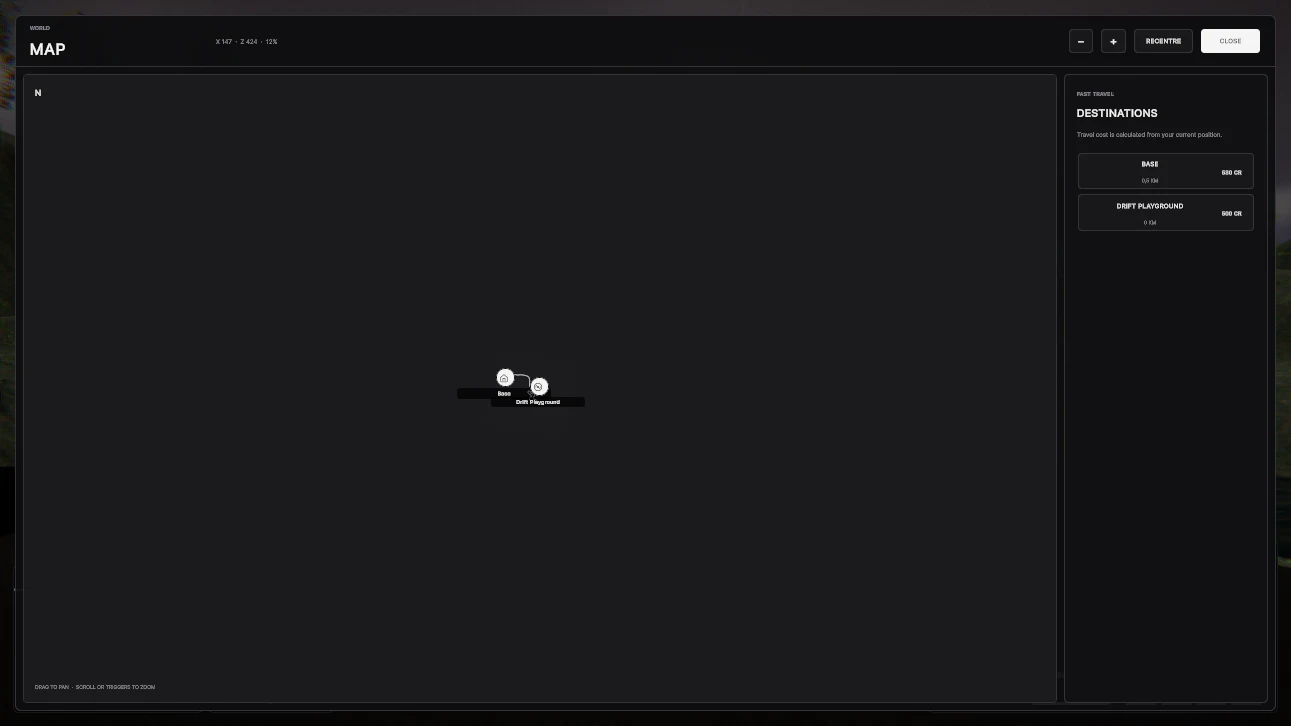
The map is a good example. It needs a large working area, navigation controls, destinations and useful information without becoming crowded. The new layout gives each part a clear place while keeping the map itself as the focus.
The car stays at the centre of the upgrade shop
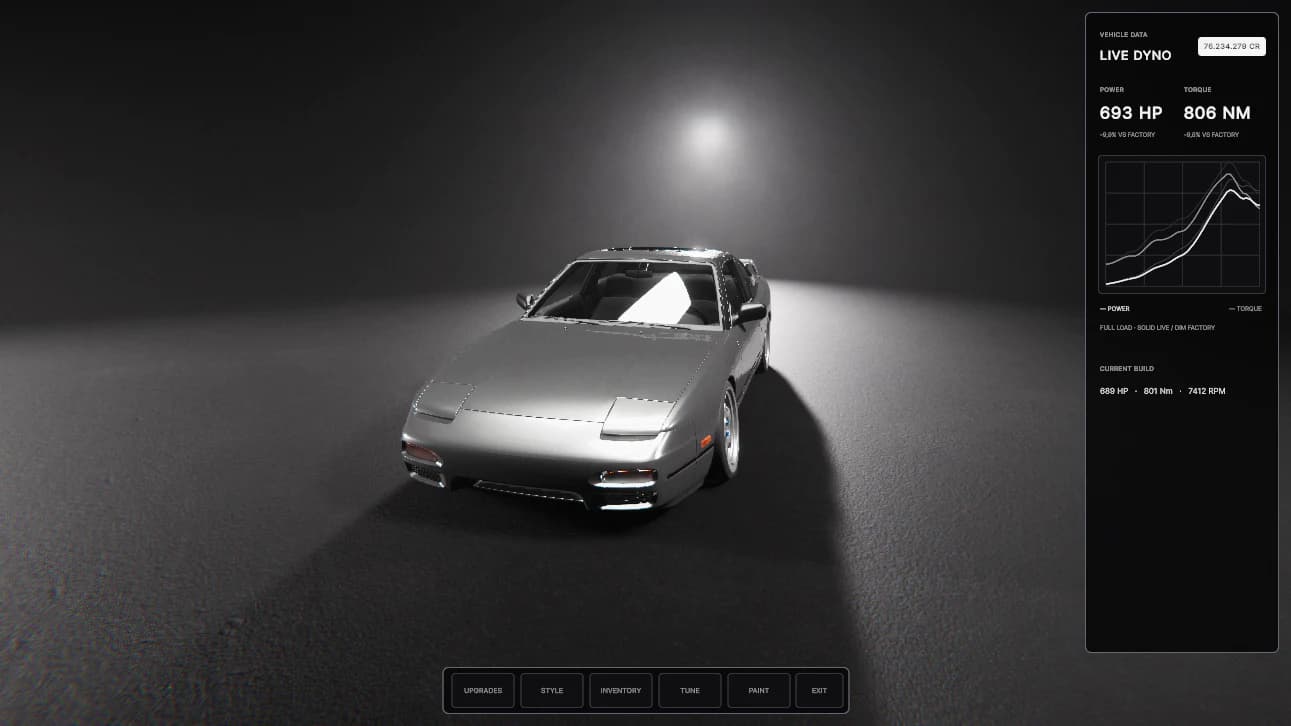
The upgrade shop was one of the most important reasons for this rewrite. Project Tourge asks players to spend real time building, tuning and personalizing a car, so the interface cannot constantly hide that car behind menus.
The new shop layout keeps the vehicle visible. Navigation sits along the bottom, while important build information has its own space at the side. The centre remains open so players can see what they are working on.
Upgrades, style, inventory, tuning and paint now share this structure. Moving between them should feel like moving through one workshop rather than opening several unrelated tools. It also gives future customization work a foundation that can grow without redesigning the entire shop again.
Better for players and better for development
For players, the result is a cleaner and more responsive interface with clearer hierarchy and fewer visual changes between systems. It should be easier to understand where you are, what you can change and how to return to the car.
For development, it is a system I can maintain. Shared styling makes broad improvements faster, reusable layouts reduce repeated work, and new screens can begin from an established structure instead of starting from nothing.
This is why the rewrite matters beyond appearance. Project Tourge has a lot of connected systems, and every one of them eventually needs an interface. UI Toolkit gives those systems one home—and lets the car remain the thing you came to see.
Development archive